Self-taught Projects
Coordinate Manager


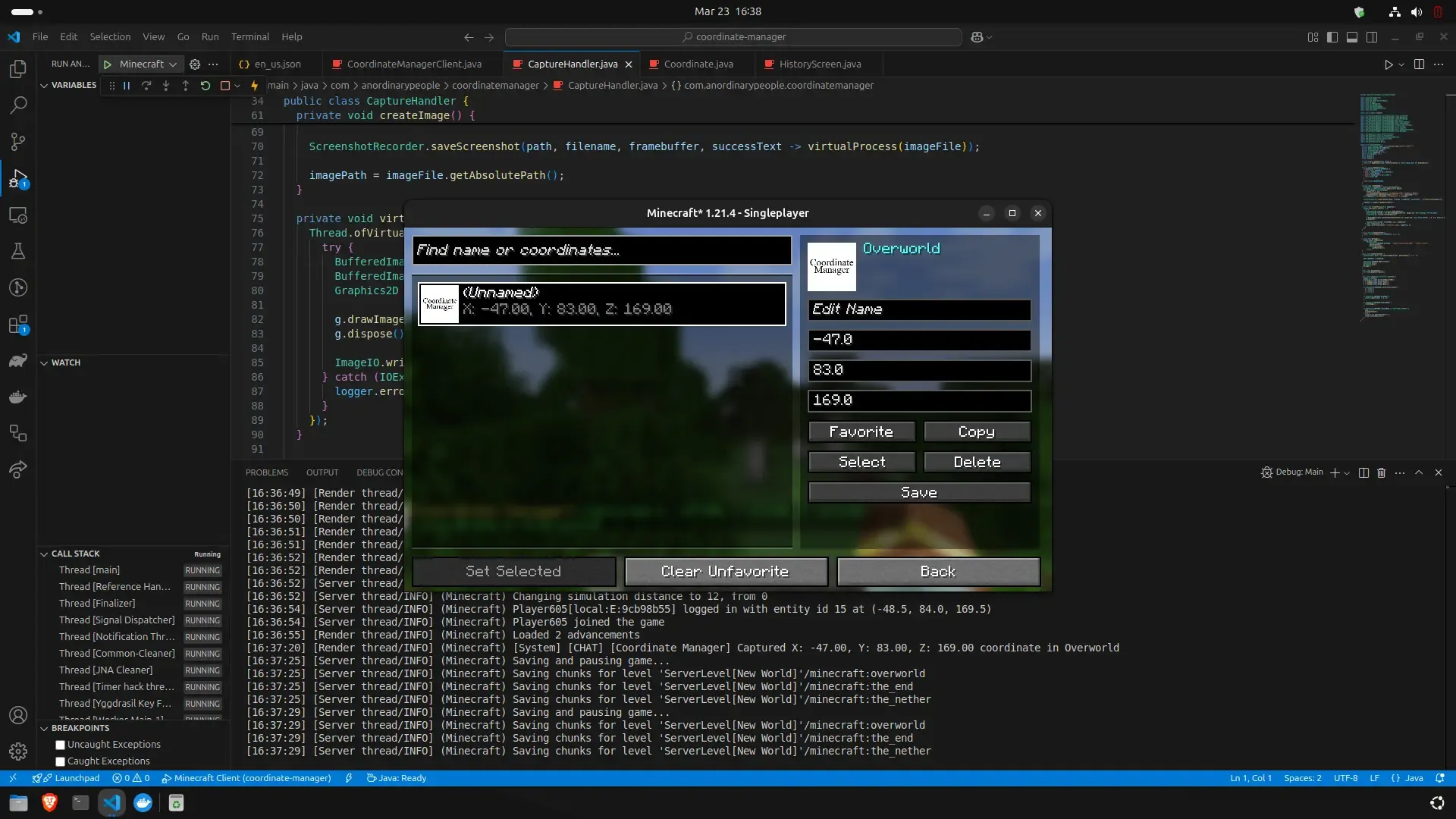
Coordinate Manager is a Fabric-based Minecraft mod that allows players to capture and manage coordinate with rich features:
- Capture Modes:
- Instant: Save coordinate immediately without prompts.
- Pop-up: Show a dialog to set a name and adjust coordinate values before saving.
- Capture Cooldown: Prevent spam by setting a cooldown.
- Coordinate Thumbnail: Save a thumbnail of your current view when capturing a coordinate.
- Precise Coordinates: Saves coordinate values as decimals for accuracy.
- Auto-Copy on Capture: Automatically copies the saved coordinates to the clipboard when capturing a coordinate.
- Coordinate History Screen: View, copy, edit, and manage saved coordinates in-game.
- Copy Coordinates: Copy any coordinate entry to clipboard for easy sharing.
- Set Favorited Coordinates: Protect favorited coordinates from accidental deletion.
- Search Functionality: Find saved coordinates by name or coordinate values.
- Bulk Actions:
- Favorite: Toggle favorite status for multiple entries.
- Delete: Remove multiple selected coordinates at once.
- Delete Options:
- Delete Individual Coordinates: Remove specific entries.
- Clear World/Server Coordinates: Delete all unfavorited coordinates from the current world or server.
Development Highlights
- Driven by Pure Passion: A rare moment when coding felt exciting. It reflects genuine curiousity and the joy of building something meaningful.
- Learning by Doing: I didn't learn deeply about Java. Instead, I dove straight into Fabric documentation and studied open-source Minecraft mods.
- Figuring Things Out Along the Way: I Learned by observing how other mods worked, experimenting with code, and troubleshooting issues as they came up.
- Full Development Cycle: Independently handled design, coding, testing, and deployment.